PlusVibe Review vs Smartlead: Webhooks, Reporting, Deliverability
Read a practical PlusVibe review vs Smartlead. Compare webhooks, payload size, enrichment, support, and reporting. Unify both in Outreach Magic.
People search for a PlusVibe review or Smartlead comparison for two simple reasons: they want a tool that sends reliably, and they want reporting that stays accurate when they scale.
In this guide, we compare PlusVibe (pipl.ai) and Smartlead head-to-head. More importantly, we’ll show you how to use Outreach Magic to keep your analytics consistent across both tools—especially when webhooks start failing or software glitches happen at high volume.
The Core Difference: Choose PlusVibe for clean webhooks, A/B variant data, and responsive support. Choose Smartlead for an all-in-one operational suite. Add Outreach Magic to bridge data gaps and unify reporting regardless of your sender.
A note on accuracy: Outbound tools evolve weekly. Features, pricing, and webhook payloads change. This review reflects our current experience managing high-volume campaigns for our clients.
Quick verdict
There are 3 primary outcomes in a PlusVibe vs Smartlead decision.
What PlusVibe does well in a real PlusVibe review
PlusVibe tends to feel “lighter” and more responsive. There are 4 standout strengths:
What Smartlead does well in a Smartlead review
Smartlead is an operational powerhouse with a deep feature set.
The biggest differences that matter for analytics
There are 6 main differences that impact reporting quality. Reporting quality matters because the sending tool changes over time, but your outreach data shouldn't lie.
1) Smartlead webhooks limit “one webhook per event type”
Smartlead allows only one webhook per event type in many setups. That becomes a bottleneck when you want to send events to Clay, your data warehouse, and an internal CRM simultaneously.
Important: Outreach Magic includes a built-in routing feature that solves this. Point Smartlead at Outreach Magic, and we fan out those events to multiple places for you. Our Smartlead integration guide shows you exactly how to set up webhook forwarding so you can send events to Clay, your data warehouse, and your CRM simultaneously—all from a single Smartlead webhook.
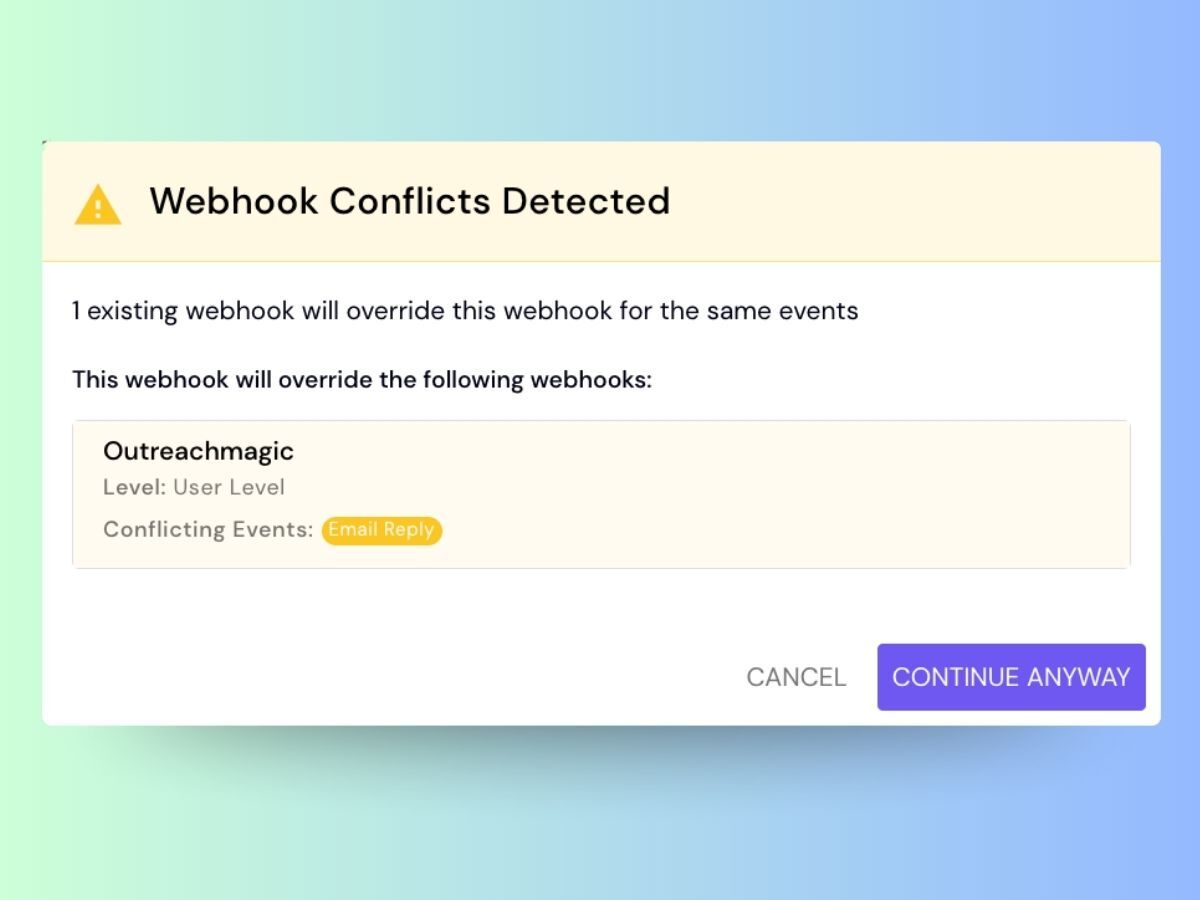
Smartlead limits you to a single webhook destination per event type, creating bottlenecks for complex stacks.
Unified routing and fail-safe reporting
Outreach Magic solves the common issue of webhook bottlenecks by allowing you to fan out a single event to multiple platforms simultaneously. Instead of being restricted by a single-destination limit, you can route data to Clay, your data warehouse, and your CRM all at once. Crucially, Outreach Magic monitors these deliveries and alerts you immediately if any platform fails to process the request, ensuring you never lose visibility into your data.
How it works: When you connect Smartlead to Outreach Magic using our Smartlead integration, Outreach Magic acts as a webhook proxy. Smartlead sends events to Outreach Magic once, and we automatically forward them to all your configured destinations. This means you can send the same event to multiple tools without hitting Smartlead's one-webhook-per-event limitation. Outreach Magic also stores raw payloads and provides webhook replay functionality, so you can recover from failures and backfill missing data.
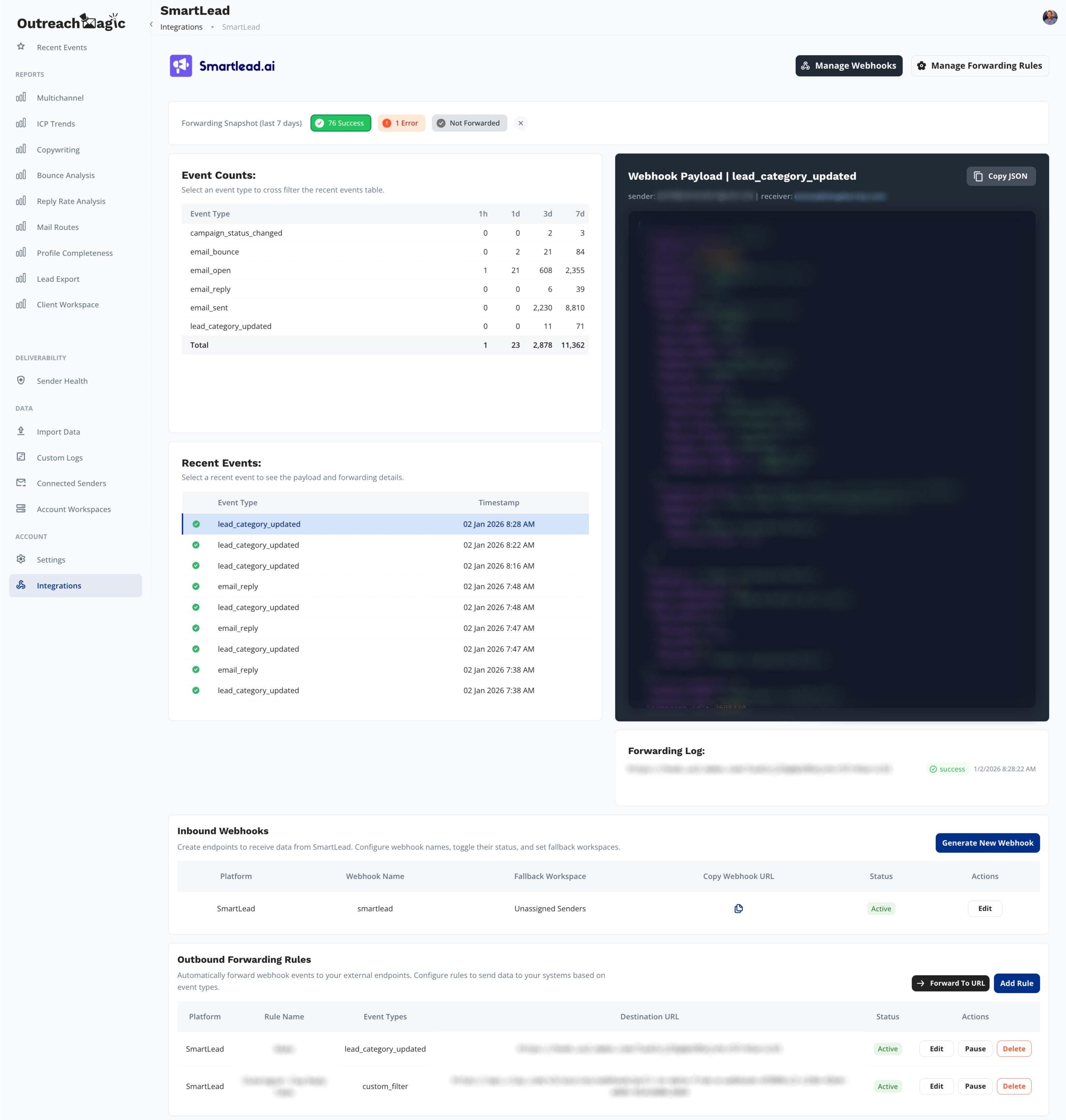
Outreach Magic acts as a traffic controller, fanning out a single Smartlead webhook to all your downstream tools.
2) Smartlead webhook payload size can break downstream tools
Webhook payload size affects delivery into tools like Clay. We see roughly 10-20% of email_reply and lead_status_updated events get blocked in certain Clay flows.
This happens for two main reasons:
{LARGE_BASE64_IMAGES} from email signatures or attachments, causing the total request size to balloon past the limits of many downstream tools.Only a monitoring layer like Outreach Magic makes these silent failures obvious.
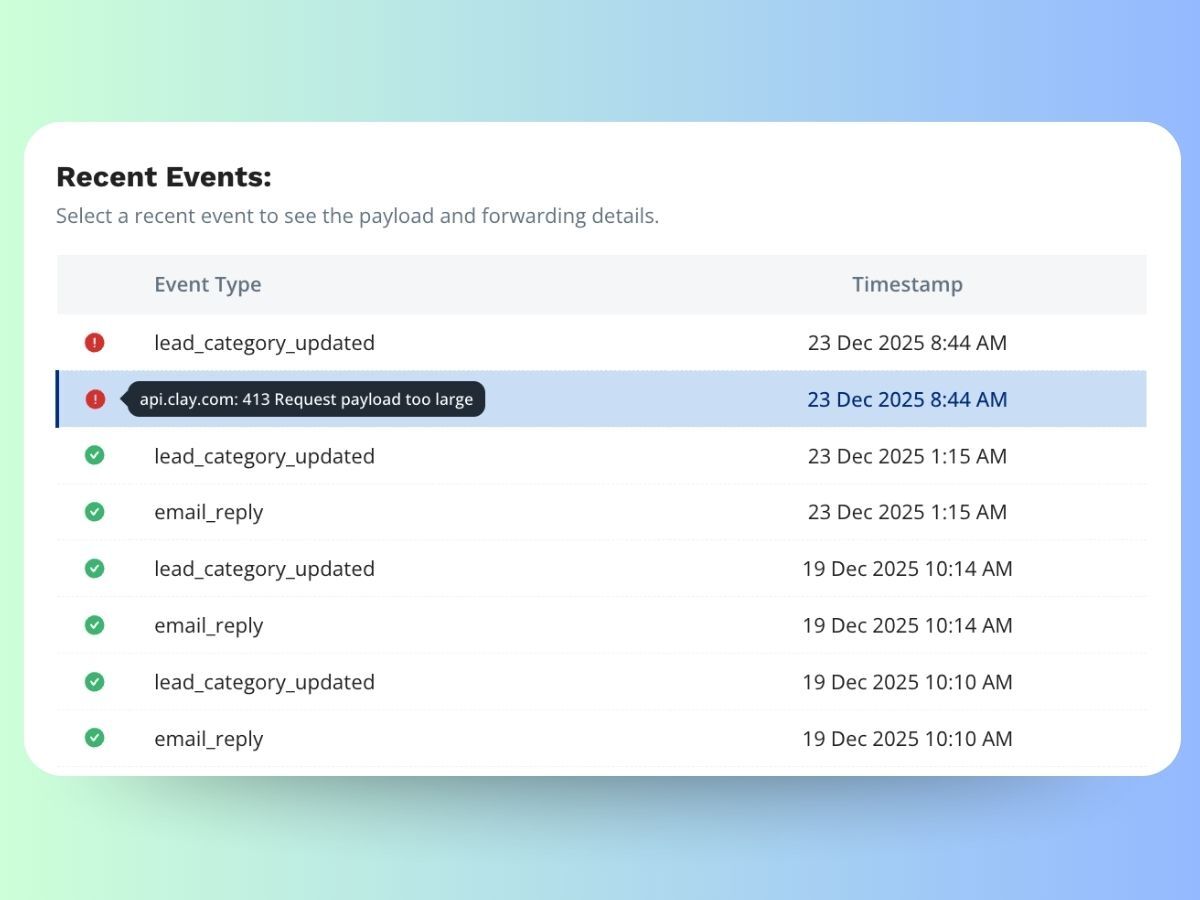
Oversized webhook payloads are a silent killer for data integrity in tools like Clay.
3) Smartlead “first_email_sent” behavior can confuse event tracking
You might expect that if you turn on all webhook events, they would all trigger as expected. However, with Smartlead, if you enable the first_email_sent event, it actually prevents the email_sent webhooks for Step 2, Step 3, and all subsequent steps from firing.
This means only Step 1 triggers a sent event, while the rest of your sequence is completely ignored by the webhook system. This behavior isn't documented and we only discovered it after some back and forth with their support team. Be careful when using this setting—it can lead to major data gaps where your analytics show a fraction of your actual sending volume.
4) Smartlead webhook payload misses A/B variant details
Smartlead webhooks do not include this information and we talked to their engineering about this multiple times and it still hasn't been implemented. This makes performance reporting harder inside tools like Outreach Magic.
5) PlusVibe webhooks are organized and developer-friendly
PlusVibe provides a cleanly nested webhook payload with all information you might need to create detailed accurate reports, making it great for internal tools or your data warehouse. Including the A/B variant information.
When you integrate PlusVibe with Outreach Magic using our PlusVibe integration guide, you get the full benefit of PlusVibe's clean webhook structure combined with Outreach Magic's unified reporting. PlusVibe's well-organized payloads make it easy for Outreach Magic to normalize events and provide consistent analytics across all your outreach tools.
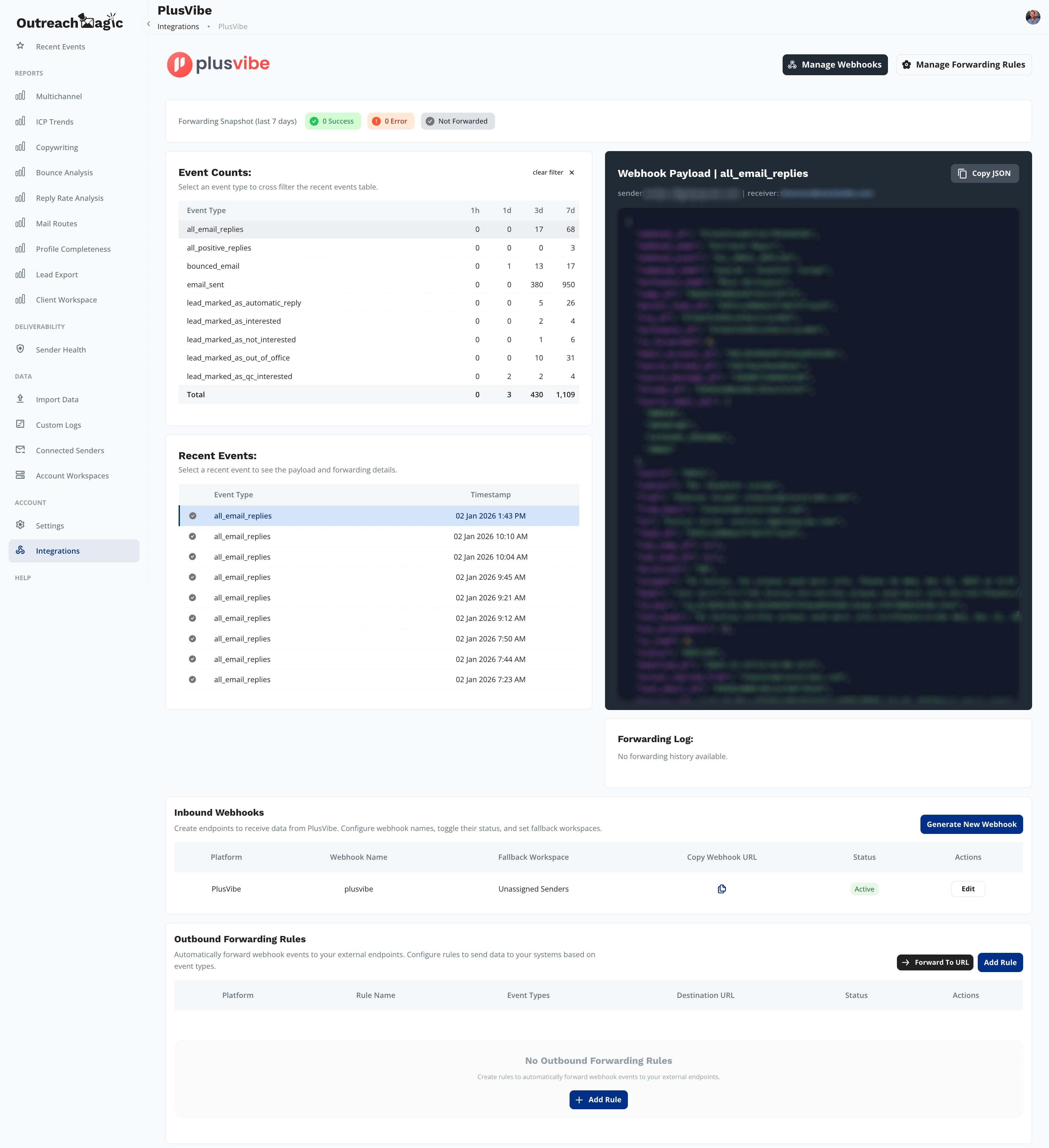
PlusVibe's native transformation steps allow for cleaner, better-organized data ingestion.
6) Software Glitches and Support Speed
When working on the integrations with both PlusVibe and Smartlead, we found PlusVibe was open to the public with any problems and quick to implement any changes we needed to provide the most powerful reports for our clients.
In contrast, our experience with Smartlead was that they deleted our messages from their Slack community when we pointed out errors and suggested we move the conversation to email. Even after weeks of back and forth with their lead engineering team, our requests were never implemented.
Email Deliverability: PlusVibe vs Smartlead
There are too many variables involved—domains, content, warming, and list quality—to say if one platform has better deliverability than the other. We have clients using both PlusVibe and Smartlead who see fantastic results, and others who struggle with poor performance on both.
Outreach Magic helps you identify exactly what's causing those poor results so you can fix the root issue and get your campaigns back on track quickly.
Why Outreach Magic matters for PlusVibe and Smartlead users
Outreach Magic solves the "missing history" problem. We normalize events, fan out webhooks, and ensure your reporting stays clean regardless of which sending tool you use.
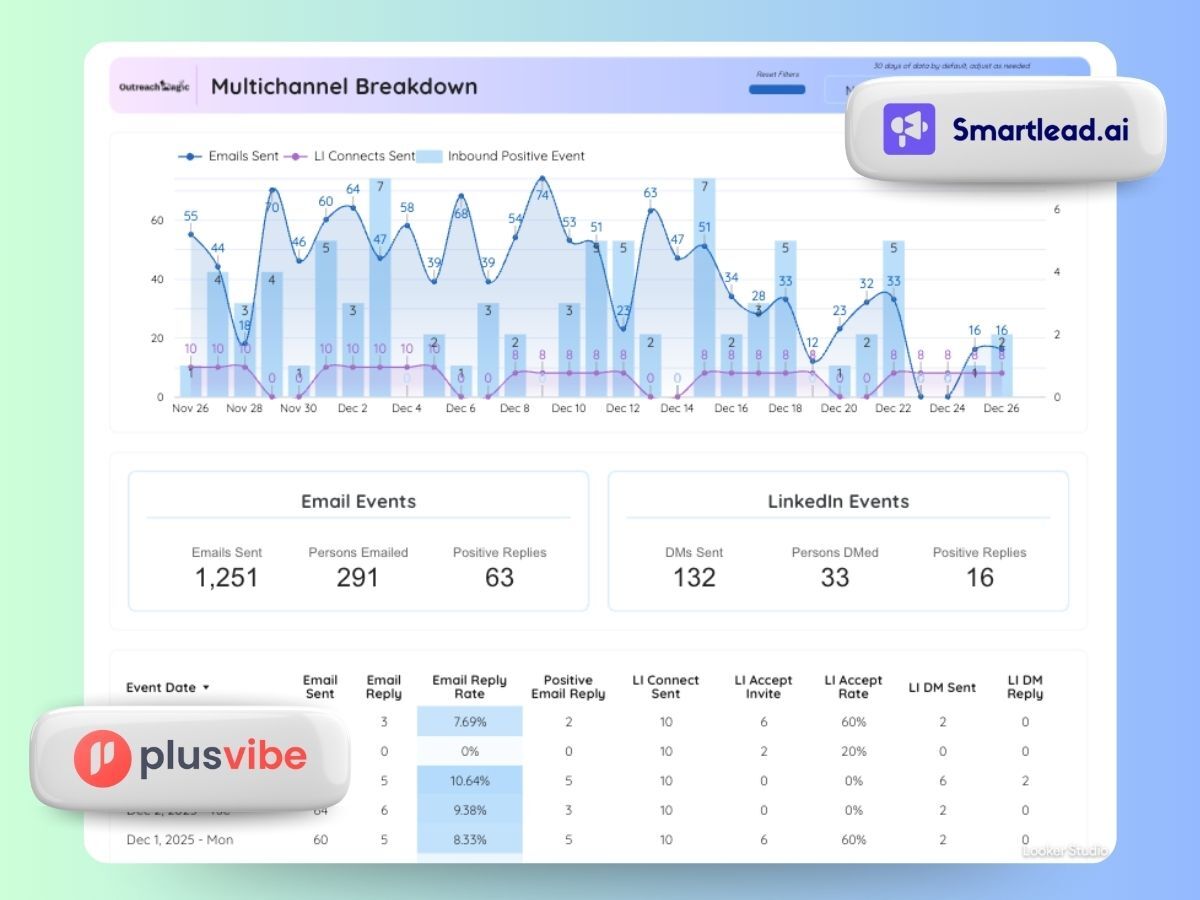
View all your outreach performance in one dashboard, regardless of which sending tool you use.
Example: Smartlead payload that got blocked by Clay
When a payload includes repetitive data and embedded assets like {LARGE_BASE64_IMAGES}, downstream tools like Clay can block the request due to size limits. Smartlead doesn’t always make this failure obvious, leading to "silent data drift" in your reporting. Outreach Magic surfaces these failures immediately.
{
  "campaign_status": "COMPLETED",
  "stats_id": "STAT_UUID",
  "sl_email_lead_id": "LEAD_ID",
  "sl_email_lead_map_id": 2087087125,
  "sl_lead_email": "lead@example.com",
  "from_email": "from@example.com",
  "cc_emails": [],
  "subject": "RE: Streamlining your manufacturing lead pipeline",
  "sent_message_body": "<div>Hello there,</div><div><br></div><div>As a leading provider of lead-generation solutions, we help manufacturing firms increase qualified opportunities and grow their pipeline.</div><div><br></div><div>Would you be interested in learning more about how our platform can support your business?</div><div><br></div><div>Best regards,</div><div>[Sales Rep]</div><div>Lead Gen Company</div>",
  "sent_message": {
    "message_id": "MSG_ID@senderdomain",
    "html": "<div>Hello there,</div><div><br></div><div>As a leading provider of lead-generation solutions, we help manufacturing firms increase qualified opportunities and grow their pipeline.</div><div><br></div><div>Would you be interested in learning more about how our platform can support your business?</div><div><br></div><div>Best regards,</div><div>[Sales Rep]</div><div>Lead Gen Company</div>",
    "text": "Hello there,\n\nAs a leading provider of lead-generation solutions, we help manufacturing firms increase qualified opportunities and grow their pipeline.\n\nWould you be interested in learning more about how our platform can support your business?\n\nBest regards,\n[Sales Rep]\nLead Gen Code Company",
    "time": "2025-09-05T08:35:16.637+00:00"
  },
  "to_email": "lead@example.com",
  "to_name": "[Recipient Name]",
  "time_replied": "2025-12-23T15:44:17+00:00",
  "event_timestamp": "2025-12-23T15:44:17+00:00",
  "reply_message": {
    "message_id": "REPLY_ID@recipientdomain",
    "html": "<html><body><p>Hello,</p>{LARGE_BASE64_IMAGE}</body></html>",
    "text": "Hello,\n\n",
    "time": "2025-12-23T15:44:17+00:00"
  },
  "reply_body": "<html><body><p>Hello,</p>{LARGE_BASE64_IMAGE}</body></html>",
  "message_id": "REPLY_ID@recipientdomain",
  "preview_text": "Hello,\n\n",
  "campaign_name": "ABC- East - West - NAP",
  "campaign_id": 2419343,
  "client_id": null,
  "sequence_number": 3,
  "secret_key": "SECRET_KEY",
  "reply_category": 4,
  "app_url": "https://app.smartlead.ai/app/master-inbox?leadMap=20870873215",
  "ui_master_inbox_link": "https://app.smartlead.ai/app/master-inbox?leadMap=2087087125",
  "description": "lead@example.com replied to Email 3 for campaign - ABC- East - West - NAP",
  "metadata": {
    "webhook_created_at": "2025-10-15T08:42:02.289Z"
  },
  "promptType": "sl-prompt",
  "leadCorrespondence": {
    "targetLeadEmail": "lead@example.com",
    "replyReceivedFrom": "lead@example.com",
    "repliedCompanyDomain": "SameCompany"
  },
  "webhook_url": "https://webhooks.outreachmagic.io/smartlead?token=REDACTED_TOKEN",
  "webhook_id": 331818,
  "webhook_name": "OutreachMagic",
  "event_type": "EMAIL_REPLY"
}
Outreach Magic surfaced this failure immediately after Clay blocked the oversized payload.
Set up the cleanest webhook pipeline
Final recommendation
Start with PlusVibe if you want a simpler platform. Choose Smartlead if you want a feature-dense all-in-one suite.
Add Outreach Magic if you want reporting you can trust. Reporting breaks when webhooks fail silently or software glitches go unnoticed; reporting stays clean when you monitor failures, fan out events safely, and unify your history.