Avoid the Promotions Tab: Email Deliverability Tips
Landing in Promotions? Learn what triggers Gmail tabbing and how to improve placement with better targeting, copy, links, and sending. Outreach Magic
Key Points on How to Keep Emails from Going to Promotions Tab
- Promotions Tab: A separate inbox section where email providers like Gmail place marketing and promotional messages, often leading them to be overlooked by recipients.
- Email Service Providers (ESPs): Platforms like Gmail, Outlook, and Yahoo that act as gatekeepers, filtering emails based on content, sender history, and user behavior.
- Avoid salesy language: Avoid words like “discount” or “sale” to reduce Promotions triggers.
- Limit images and links: Use minimal images and links to avoid looking like an ad.
- Use a real sender name: Personal sender names (e.g., Brad@company.com) often feel more trustworthy.
- Focus on value: Send helpful content, not just promotions, to increase engagement.
Introduction
Other than the dreaded Spam folder, the Promotions Tab is the last place you want your emails to end up. Imagine Sarah, a busy professional, who glances at her inbox between meetings and sees over 100 new emails—promos, updates, and, buried somewhere, a few important messages she actually wants to read. Like most of us, she skips over anything in her Promotions Tab, assuming it’s less relevant.
The average person receives around 121 business emails daily, and the majority get sent to that Promotions Tab or ignored entirely. If your carefully crafted email regularly lands there, it might never have a chance to be opened—much less clicked on or converted. To avoid getting lost in the shuffle and maximize your impact, it’s essential to know what triggers the Promotions Tab and how to prevent it.
Understanding Email Filtering
To bypass the Promotions tab, we must understand why emails land there in the first place.
- Consider ESPs (Gmail, Outlook, Yahoo) as the middlemen between your email and your recipient’s inbox. They deliver messages—but they also act as gatekeepers. They can reject mail, place it in spam, or route it to the Promotions Tab.
- When you click Send, the ESP filters your email using criteria like content, structure, sender history, and user behavior. Below are common elements that often trigger placement in Promotions.
Why Are Your Emails Landing in the Promotions Tab and How to Improve Placement?
Salesy Language
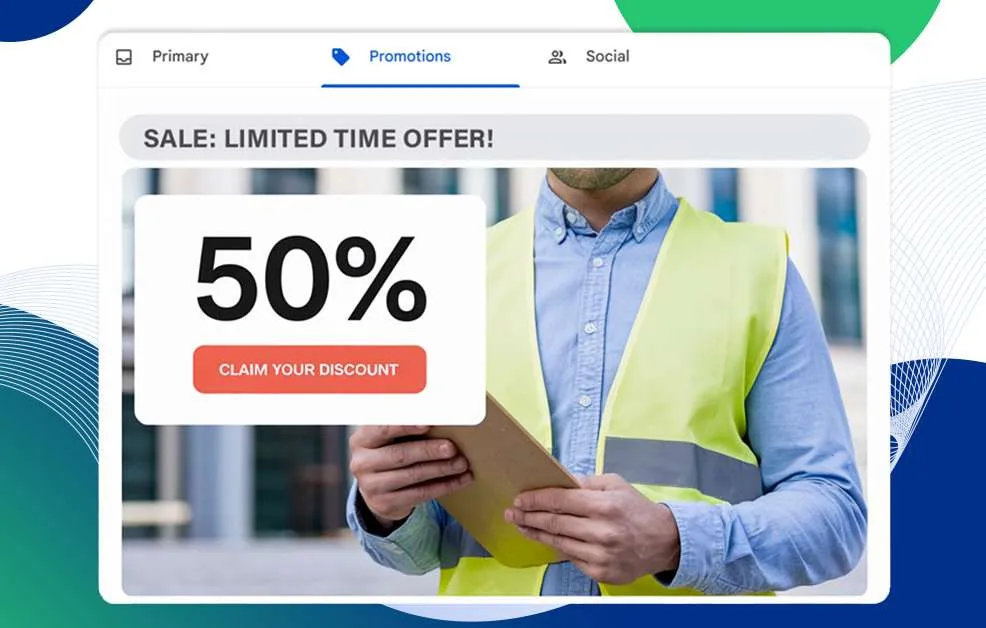
A common reason emails land in Promotions is salesy language. Words like “discount,” “sale,” or “limited time offer” can signal promotional intent.
Tips:
- Don’t be overly aggressive: Pushy urgency can look like a promo blast.
- Remove promo keywords: Scan your copy before sending.
- Avoid excessive punctuation: Too many exclamation marks can amplify “marketing” signals.
Downsize Images and Links
Emails full of big images and lots of links often get routed to Promotions. They look like ads—and filters pick up on that.
Tips:
- Stick to one small image (or none).
- Limit links to one or two where possible.
- Keep your email looking simple and honest.
Use a Real Person’s Name as the Sender
“info@tacos.com” or “noreply@tacos.com” can feel robotic and impersonal. People—and filters—often trust mail that looks like it’s from a real person.
Use a personal sender like brad@tacos.com or bella@tacos.com with a consistent sender name.
Keep Subject Lines Friendly
Subject lines that scream “SALE” or “LIMITED TIME!” tend to look promotional. Instead, write subject lines that sound like a person reaching out.
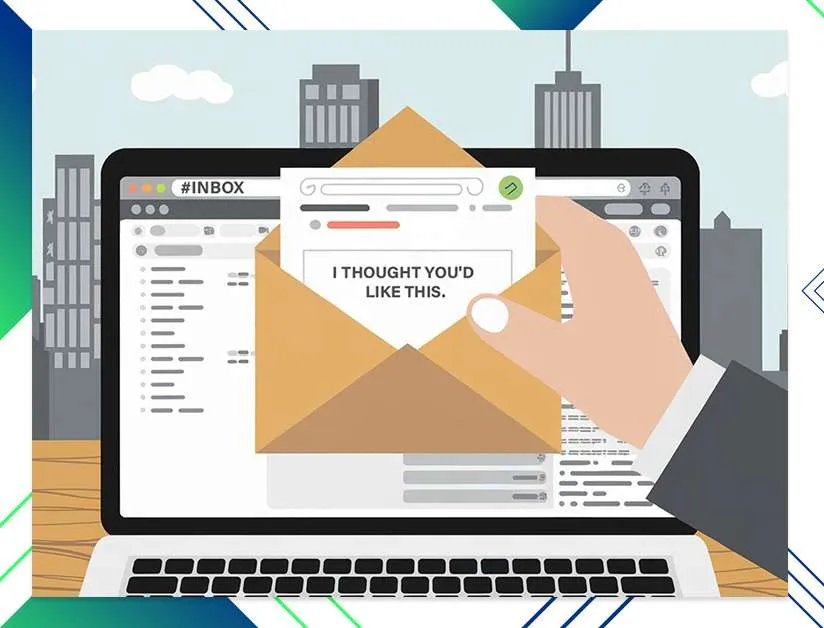
Tip: Instead of “50% OFF This Weekend Only!” try something like “I thought you’d like this.”
Try Conversational Content
ESP algorithms are trained to detect corporate/marketing patterns. Keep your content conversational, friendly, and concise.
Tips:
- Personalize your greeting (“Hey Brad”).
- Don’t oversell.
- Make it easy to reply (questions often help).
Use Less HTML Formatting
Beautiful templates can hurt placement. Keep rich designs on your website.
Tip: When in doubt, use plain text or a clean, simple layout. Avoid heavy color blocks and button-heavy layouts.
Limit Your CTA Buttons and Links
A lot of CTA buttons (“Shop Now”) is a classic marketing signal.
Tip: Link naturally in-line (“You can read more here”) instead of using large buttons.
Don’t Use the Usual Promo Keywords
Words like “free,” “offer,” “50% off,” and “discount” can push messages toward Promotions.
Tip: Try subtler language like “special rate,” “new price,” or “exclusive price.”
Focus on Consistent Engagement
- Engagement matters. If people open, read, and reply, ESPs learn your mail is wanted.
- Regularly clean your list and remove inactive recipients.
- Use feedback loops and suppress contacts who mark you as spam.
- Send content your audience actually wants.
Ask Readers to Add You to Their Contacts
One of the simplest ways to improve Primary placement is to ask subscribers to add your email address to their contacts.
Tip: Put this in your welcome email with quick instructions.
Monitor Your Email Reception
Every audience is different. Test subject lines, sender names, and formats.
Tip: Test one variable at a time and measure results. Tools like Outreach Magic help monitor delivery patterns and campaign outcomes.
Keep an Eye on Your Sender’s Reputation
Sender reputation is like a “credit score” for email.
Tip: Use SPF/DKIM/DMARC, keep a consistent sending schedule, avoid spammy language, personalize appropriately, and prioritize quality over volume.
Deliver Value, Not Just Promotions
The best long-term strategy is sending genuinely helpful content that earns engagement.
Tip: Share insights, tips, and resources—not just promotions. Value-first mail gets read, replied to, and trusted.
Conclusion
Getting into the primary inbox isn’t about one quick trick; it’s about consistently creating personal, valuable, and relevant emails. By focusing on a conversational tone, cutting back on overly promotional elements, and prioritizing your audience’s needs, you’ll be well on your way to bypassing the Promotions Tab and building stronger connections with your readers.
Want to make sure your emails reach the primary inbox more often? Outreach Magic helps you monitor sender reputation, optimize campaigns, and improve placement. Read our case studies to learn more.